Niezbędne pliki cookie
Są niezbędne do funkcjonowania witryny i nie można ich wyłączyć w naszych systemach, ponieważ umożliwiają podstawową funkcjonalność witryny


Wydawca: Naughty Girls
Twórca: Naughty Girls





* Bezpłatne gry mogą obejmować zakupy w aplikacji.

Epicka kampania fantasy. Horny Waifu: Kaiju Strike to niezapomniana przygoda w stylu anime-fantasy, pełna ostrego humoru, sprytnych nawiązań i zaskakująco emocjonalnej głębi. Przygotuj się na prawdziwy heroizm, śmiałe poświęcenie i historię, która Cię wciągnie!

Mnóstwo Waifu do wyboru – stwórz swój idealny oddział Waifu! Odkryj szeroką gamę Waifu z różnych ras, o różnych rzadkościach, żywiołach i klasach. Każda wnosi coś wyjątkowego do Twojej podróży. Zbierz je wszystkie, stwórz swój wymarzony harem, ciesz się ich uczuciem – i pamiętaj, świat wciąż potrzebuje ratunku!
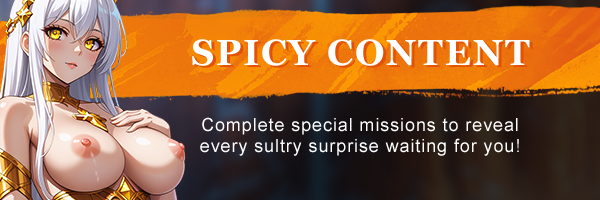
Odblokuj pikantną kolekcję scen H i aktów, pogłębiając relacje ze swoją Waifu. Wykonuj misje specjalne i rozwijaj fabułę, aby odkryć wszystkie zmysłowe niespodzianki, które na Ciebie czekają!

Wybierz odpowiednią drużynę i strategię na każde starcie i zmiażdż wrogów w pełnych akcji bitwach. Wyczucie czasu, taktyka i synergia drużyny to klucze do zwycięstwa!

Bitwy RPG typu „gracze kontra gracze”. Zbierz najsilniejszą drużynę Waifu i zdominuj rywali na arenie i w turniejach. Pnij się w górę globalnych rankingów i udowodnij, że jesteś mistrzem Waifu!

Dołącz do gildii i bierz udział w rajdach. W Horny Waifu: Kaiju Strike błyskotliwi taktycy i nieustraszeni przywódcy łączą się w gildie, aby pokonać gigantycznych bossów rajdowych. Przygotuj się na najtrudniejsze wyzwania i najsłodsze nagrody.



Download Requires a Computer
The files can only be downloaded using a computer.
Please switch to your desktop or laptop to continue the download process. Check the Video or Text Instruction tab for more details.
Text Instruction
What is SideStore and system requirements
The SideStore enables non-jailbroken iOS devices the ability to install apps manually, giving you access to NSFW games that aren’t available in the app store.
The following sections will guide you on the required files that need to be downloaded and installed, as well as step-by-step instructions on how to set up the SideStore and how to install apps on your device. Note that once you have completely set up the SideStore, future installations will only require you to download the Game Installation File (.IPA) and to carry out the game installation steps.
Please note that in order to follow this guide you will need access to a macOS (10.14 or higher) or Windows (10 or higher) computer.
Install iTunes and iCloud

Connect your device to your computer and enable Developer Mode

Install and Launch the SideStore on your device

Create and Import the Pairing File

Download and connect to SideStore’s VPN (LocalDevVPN)

Installing Nutaku Games Via the SideStore

Download Requires a Computer
The files can only be downloaded using a computer.
Please switch to your desktop or laptop to continue the download process. Check the Video or Text Instruction tab for more details.
Text Instruction
What is SideStore and system requirements
The SideStore enables non-jailbroken iOS devices the ability to install apps manually, giving you access to NSFW games that aren’t available in the app store.
The following sections will guide you on the required files that need to be downloaded and installed, as well as step-by-step instructions on how to set up the SideStore and how to install apps on your device. Note that once you have completely set up the SideStore, future installations will only require you to download the Game Installation File (.IPA) and to carry out the game installation steps.
Please note that in order to follow this guide you will need access to a macOS (10.14 or higher) or Windows (10 or higher) computer.
Install AltServer on your Computer

Connect your device to your computer and enable Developer Mode
Install and Launch the SideStore on your device
Create and Import the Pairing File

Download and connect to SideStore’s VPN (LocalDevVPN)
Installing Nutaku Games Via the SideStore
FAQs: Installing Games with SideStore
Download Requires a Computer
The files can only be downloaded using a computer.
Please switch to your desktop or laptop to continue the download process. Check the Video or Text Instruction tab for more details.
Text Instruction
What is AltStore and system requirements
The AltStore enables non-jailbroken iOS devices the ability to install apps manually, giving you access to NSFW games that aren’t available in the app store.
The following sections will guide you on the required files that need to be downloaded and installed, as well as step-by-step instructions on how to set up the AltStore and how to install apps on your device. Note that once you have completely set up the AltStore, future installations will only require you to download the Game Installation File (.IPA) and to carry out the game installation steps.
Please note that in order to follow this guide you will need access to a macOS (10.14 or higher) or Windows (10 or higher) computer.
Install iTunes and iCloud
Connect your device to your computer and enable Developer Mode
Install and Launch the AltStore on your device
Installing Nutaku Games Via the AltStore

Download Requires a Computer
The files can only be downloaded using a computer.
Please switch to your desktop or laptop to continue the download process. Check the Video or Text Instruction tab for more details.
Text Instruction
What is AltStore and system requirements
The AltStore enables non-jailbroken iOS devices the ability to install apps manually, giving you access to NSFW games that aren’t available in the app store.
The following sections will guide you on the required files that need to be downloaded and installed, as well as step-by-step instructions on how to set up the AltStore and how to install apps on your device. Note that once you have completely set up the AltStore, future installations will only require you to download the Game Installation File (.IPA) and to carry out the game installation steps.
Please note that in order to follow this guide you will need access to a macOS (10.14 or higher) or Windows (10 or higher) computer.
Install AltServer on your Computer
Connect your device to your computer and enable Developer Mode
Install and Launch the AltStore on your device

Installing Nutaku Games Via the AltStore
FAQs: Installing Games with AltStore
Download Requires a Computer
The files can only be downloaded using a computer.
Please switch to your desktop or laptop to continue the download process. Check the Video or Text Instruction tab for more details.
Text Instruction
What is Sideloadly and system requirements
Sideloadly is a tool that facilitates sideloading on iOS devices. It enables non-jailbroken iOS devices the ability to install apps manually, without having to rely on Apple’s App Store, giving you access to NSFW games that aren’t available in the app store.
The following sections will guide you on the required files that need to be downloaded and installed, as well as step-by-step instructions on how to set up the Sideloadly and how to install apps on your device. Note that once you have completely set up the AltStore, future installations will only require you to download the Game Installation File (.IPA) and to carry out the game installation steps.
Please note that in order to follow this guide you will need access to a macOS (10.14 or higher) or Windows (10 or higher) computer.
Install iTunes and iCloud
Connect your device to your computer and enable Developer Mode
Install Sideloadly on your Computer
Installing Nutaku Games Via Sideloadly

Download Requires a Computer
The files can only be downloaded using a computer.
Please switch to your desktop or laptop to continue the download process. Check the Video or Text Instruction tab for more details.
Text Instruction
What is Sideloadly and system requirements
Sideloadly is a tool that facilitates sideloading on iOS devices. It enables non-jailbroken iOS devices the ability to install apps manually, without having to rely on Apple’s App Store, giving you access to NSFW games that aren’t available in the app store.
The following sections will guide you on the required files that need to be downloaded and installed, as well as step-by-step instructions on how to set up the Sideloadly and how to install apps on your device. Note that once you have completely set up the AltStore, future installations will only require you to download the Game Installation File (.IPA) and to carry out the game installation steps.
Please note that in order to follow this guide you will need access to a macOS (10.14 or higher) or Windows (10 or higher) computer.
Install Sideloadly on your Computer

Connect your device to your computer and enable Developer Mode
Installing Nutaku Games Via Sideloadly
FAQs: Installing Games with Sideloadly
Ups! Coś poszło nie tak!
Przepraszamy, ale wystąpił nieznany błąd. Spróbuj ponownie później lub skontaktuj się z pomocą techniczną jeśli problem będzie się powtarzał.
Przykro nam, ale wystąpił błąd w przesłaniu raportu. Prześlij raport ponownie, a jeśli się utrzymuje, skontaktuj się z naszym zespołem wsparcia.
Continue the Download with our Nutaku Android Store App
Aktualizuj gry jednym dotknieciem
Przejrzyj nasza cala biblioteke gier na Androida
Zagraj w swoje wszystkie ulubione gry dzieki jednej aplikacji
BŁĄD POBIERANIAPodczas pobierania wystąpił błąd.Odswiez strone lub sprobuj ponownie pozniej.
Jesli problem bedzie nadal wystepowal, skontaktuj sie z dzialem pomocy
BŁĄD POBIERANIANie znaleziono pliku.Odswiez strone lub sprobuj ponownie pozniej.
Jesli problem bedzie nadal wystepowal, skontaktuj sie z dzialem pomocy
Włączone uwierzytelnianie dwuskładnikowe
Aby uzyskać więcej informacji na temat uwierzytelniania dwuskładnikowego, prosimy o kontakt z obsługą.
Dostosuj pliki cookie