Introducing G2.ai, the future of software buying.Try now
Juliani S.
JS
"Streamlined Access Management, Needs Multi-Command Improvement"
What do you like best about JumpCloud?

I use JumpCloud for Active Directory, Access Management, Endpoint management, and as a Password manager. It's a source of truth for our AD and helps centralize access de/provisioning. We manage user endpoints, including tasks like patching management and setting policies to access JumpCloud only from specific countries and company devices. The Password manager feature helps us manage user credentials efficiently. I appreciate its capability to eliminate the need for separate remote assist tools, as we now use JumpCloud exclusively for this purpose. All the mentioned features of JumpCloud are crucial to us. Managing endpoint and access management through JumpCloud helps us a lot by reducing manual work. Integrating JumpCloud with HR tools makes user access de/provisioning seamless. Additionally, the initial setup was easy, thanks to the documentation provided and support chat. Review collected by and hosted on G2.com.

What do you dislike about JumpCloud?

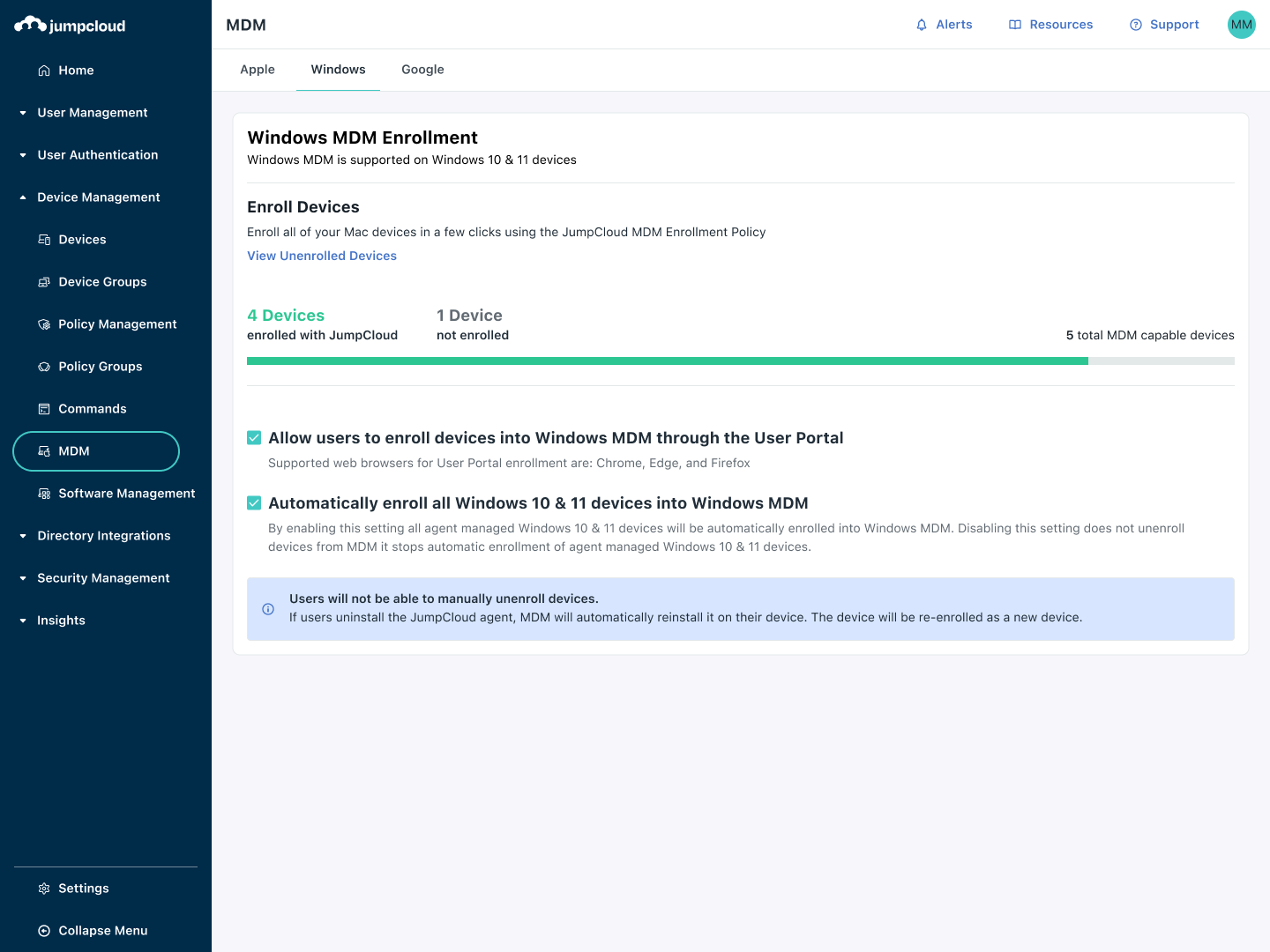
On the command part, I think it needs improvement to run multiple commands on multiple devices. We're expecting to be able to run more than one command on multiple devices, like installing a password manager or other apps through a command, and have it run on multiple devices as well. Review collected by and hosted on G2.com.

JumpCloud Reviews & Product Details

Pricing

Pricing provided by JumpCloud.

Cloud Directory

$3.00
1 User Per Month

JumpCloud Integrations

(188)
Verified by JumpCloud

JumpCloud Media

JumpCloud Demo - Unified Endpoint Management (UEM)
Securely manage macOS, Windows, Linux, iOS and Android devices in one unified view.
JumpCloud Demo - SaaS Management
Discover, secure, manage, and optimize every SaaS app and user across your organization.
JumpCloud Demo - Remote Access
Establish secure, direct connections to troubleshoot devices from anywhere in the world to solve active technical issues.
JumpCloud Demo - JumpCloud Go
JumpCloud Go™ enables faster, safer, more seamless user authentication with hardware-protected, phishing-resistant technology.
JumpCloud Demo - Conditional Access Policies
Protect access to mission-critical data and applications with conditional access policies.
JumpCloud Demo - SSO For Thousands of Apps
Choose from thousands of pre-built SSO connectors to enable single sign-on for the applications in your tech stack.
Play JumpCloud Video
Product Avatar Image

Have you used JumpCloud before?

Answer a few questions to help the JumpCloud community

JumpCloud Reviews (3,738)

View 1 Video Reviews
Reviews

JumpCloud Reviews (3,738)

View 1 Video Reviews
4.5
3,739 reviews

Pros & Cons

Generated from real user reviews
View All Pros and Cons
Search reviews
Filter Reviews
Clear Results
G2 reviews are authentic and verified.
IG
COO
Mid-Market (51-1000 emp.)
"One password helps me manage everything and helps me sleep slightly better I guess"
What do you like best about JumpCloud?

JumpCloud has worked well as it creates a single portal with all the applications; I do not have to remember forty different usernames/passwords. JumpCloud works across both the MacBook laptops and the tower PCs – both of which normally hate each other – that was a nice surprise. The majority of the time the JumpCloud Agent simply runs in the background and I never get complaints from the sales staff. It’s good enough that it hasn’t ruined my day yet. Review collected by and hosted on G2.com.

What do you dislike about JumpCloud?

JumpCloud pricing tiers confuse me as much as anything else I’ve ever had to deal with as why do I need a doctorate in order to figure out what I’m being billed? Sometimes the push notifications for the 2-factor authentication (2FA) just hang there in space and I’m sitting here looking at my phone like a complete moron. It tends to happen when the wifi drops. Also the admin console kicks you out WAY TOO FAST. I take a 2 second break to yell at a printer and BINGO – I’m kicked out. Review collected by and hosted on G2.com.

Swastik A.
SA
Security Intern
Mid-Market (51-1000 emp.)
"Streamlined Device Management, Needs Patch Management Refinement"
What do you like best about JumpCloud?

I like that JumpCloud has been improving their services very quickly over the past year or two that I've been using them. They've added a ton more features, such as shadow IT detection and outside jump call asset management. They've also improved their API significantly with the version two launch and system insight, which has helped us make a lot of automations. These improvements have reduced our workload and the workload of everyone else on the team. Review collected by and hosted on G2.com.

What do you dislike about JumpCloud?

I've noticed some issues with patch management. We still have some devices that are on pretty old versions of software, and I don't understand how they're still there when JumpCloud should be enforcing patching. Review collected by and hosted on G2.com.

Juan D.
JD
IT Support Analyst
Enterprise (> 1000 emp.)
"Centralized Management with Details to Improve"
What do you like best about JumpCloud?

I love how JumpCloud centralizes the management of users, access, and devices, allowing me to apply security policies efficiently from a single platform. This centralization provides me with great efficiency, as I can manage everything from one dashboard, which speeds up my work and avoids inconsistencies. Additionally, the initial setup was quite easy thanks to the help we received during deployment. I truly value the fact that JumpCloud allows me to maintain centralized management without relying on multiple tools. Review collected by and hosted on G2.com.

What do you dislike about JumpCloud?

The interface could be more intuitive for advanced tasks, and sometimes policies take time to apply or are not applied correctly. It would be helpful to have a clearer interface to find policies and settings, as well as to receive a more transparent application status, with real-time feedback when something fails or is pending. The remote assist has bugs with the keyboard, it does not detect the keyboard layout well or has a lot of latency, regardless of the person's location. Review collected by and hosted on G2.com.

Jayshree S.
JS
Senior QA Engineer
Mid-Market (51-1000 emp.)
"A solid all-in-one identity and device management platform"
What do you like best about JumpCloud?

JumpCloud makes it really easy to manage users, devices, and authentication from a single platform. I especially like the centralized identity management with SSO and MFA — it reduces friction for employees while keeping security strong. The UI is clean and intuitive, and integrations with different apps and systems save a lot of time for IT teams Review collected by and hosted on G2.com.

What do you dislike about JumpCloud?

Some advanced features take a bit of time to set up, and the documentation could be more detailed in certain areas. Reporting and analytics also feel limited compared to other platforms, so getting deep insights sometimes requires extra effort Review collected by and hosted on G2.com.

ES
Software Developer
Mid-Market (51-1000 emp.)
"JumpCloud keeps work access organized and safe and in a very simple way"
What do you like best about JumpCloud?

I think what I like the most is how it solves all those little login annoyances that added up every morning. I sign in just once and am instantly connected to all my work tools like from email to project dashboards and hence no password juggling. It’s like having a single reliable “key” to open everything I need for the day and keeps me sharply focused rather than continuously clicking on reset my password or hunt down the access link. Review collected by and hosted on G2.com.

What do you dislike about JumpCloud?

All I know is that the only issues I’ve run into so far other than being asked to request a receive verify or duplicate receive verify (which has happened maybe 3 times, all while switching wifi) is on their side especially while travelling. But once you get through that it does do a good job of maintaining and managing of your information. Review collected by and hosted on G2.com.

NA
System Analyst
Mid-Market (51-1000 emp.)
"Unified Device Management and Zero Trust Security Made Simple with JumpCloud"
What do you like best about JumpCloud?

Unified Device and Identity Management

JumpCloud brings together directory services, MDM, and Zero Trust access control within a single platform. This allows you to manage users, groups, and devices from one dashboard, eliminating the need to juggle AD, Intune, and various third-party tools.

Zero Trust Security Model

The platform enforces Multi-Factor Authentication (MFA) across the board, covering system logins, VPN, applications, and even SSH. Its Conditional Access Policies are straightforward to set up and offer robust control over who can access specific resources.

Cross-Platform MDM

JumpCloud operates smoothly across macOS, Windows, and Linux, making it ideal for managing mixed device environments. You can deploy policies, scripts, and patches directly, removing the need for separate tools like Jamf or Intune, though it may not offer the same depth as Jamf for Apple devices.

Cloud Directory Instead of On-Prem AD

There’s no requirement for on-premises servers. Users can authenticate to devices, Wi-Fi, VPN, and applications directly through JumpCloud, providing a modern alternative to traditional Active Directory setups.

Integration with Popular Apps

JumpCloud integrates easily with Google Workspace, Microsoft 365, AWS, Slack, Zoom, and many SAML-enabled applications for SSO, helping to centralize authentication for cloud resources.

Ease of Deployment

The agent installation is lightweight, and setup is quick for both small teams and large enterprises. There’s no need for complicated domain joining or GPO configurations.

Centralized Audit and Reporting

JumpCloud includes built-in logs for authentication, policy compliance, and device health, which helps organizations meet compliance requirements such as SOC 2 and ISO 27001 with ease. Review collected by and hosted on G2.com.

What do you dislike about JumpCloud?

JumpCloud’s MDM features for macOS and iOS are fairly limited when compared to Jamf Pro. While you can push profiles and commands, the platform does not provide in-depth macOS inventory information, such as detailed app-level insights or granular configuration profile data. Additionally, Apple-specific workflows like DEP setup, FileVault recovery key management, and advanced configuration options are less flexible than what you might find elsewhere. Review collected by and hosted on G2.com.

RO
Analista de Suporte I
Enterprise (> 1000 emp.)
"Quick and Dynamic Administration with JumpCloud"
What do you like best about JumpCloud?

I greatly appreciate the ease and dynamics of the JumpCloud software, which make the setup process uncomplicated. The simple interface really facilitates the complete administration of tasks, allowing everything to be managed effectively. The ability to easily access machines remotely is one of the main benefits that JumpCloud offers in my company, eliminating the need to manually search for host names. It is powerful for remote control and managing machines, as I can execute administrative commands without users directly seeing what is being done. The integration with tools like Slack and Sentinel One is also a positive point. Furthermore, JumpCloud is fast and comprehensive, characteristics that motivate me to continue using the product. These factors make JumpCloud a robust and efficient solution for my company's needs. Review collected by and hosted on G2.com.

What do you dislike about JumpCloud?

I notice that sometimes JumpCloud shows instability in remote access. Although rarely, there are crashes that delay work a bit. Review collected by and hosted on G2.com.

Boris C.
BC
Cloud Support Engineer
Mid-Market (51-1000 emp.)
"Excellent for Unifying Google Workspace, Macs, and Windows"
What do you like best about JumpCloud?

Honestly, it's the cross-platform device management. Google's admin console is fine for what it does, but it doesn't really help us manage our customers' Mac and Windows fleets. JumpCloud steps in perfectly, letting us tie the device login directly to the user's Google Workspace credentials. For our users, it means one less password to remember, and for us, it's a single place to manage policies Review collected by and hosted on G2.com.

What do you dislike about JumpCloud?

I wouldn't say I dislike it, but the area I'm most excited to see grow is the Mac device management. It's solid for basic policies and tying the login to Google, but it's not quite as deep as some dedicated Apple MDMs. I'm looking forward to more granular policy controls and software deployment features to make it a true one-stop-shop for us. Review collected by and hosted on G2.com.

Dima K.
DK
IT
Small-Business (50 or fewer emp.)
"Effortless Multi-Platform Management with JumpCloud"
What do you like best about JumpCloud?

I find JumpCloud incredibly easy to use. Once I learned how to navigate it, setting up and managing our systems became straightforward and convenient. I appreciate its versatility in allowing us to manage multiple operating systems, including Windows, Mac, and Linux, all from one platform. This cross-platform capability frees our employees to use their preferred systems without any restrictions. Moreover, JumpCloud's comprehensive policy options enable us to handle various administrative tasks without missing a beat, which is important for maintaining continuity across our systems. It's an all-in-one solution for our diverse tech needs, allowing for efficient management of our company's laptops and users. These features have greatly assisted in streamlining our processes. Review collected by and hosted on G2.com.

What do you dislike about JumpCloud?

I find it limiting that JumpCloud lacks the capability to directly install or update existing software and view software or currently running processes inside systems. Review collected by and hosted on G2.com.

Nicholas C.
NC
Director of Technology
Mid-Market (51-1000 emp.)
"Smooth Onboarding, Reliable Performance"
What do you like best about JumpCloud?

I find JumpCloud extremely beneficial in terms of its mobile device management and identity management capabilities, especially for our employee computers. It was recommended to us by a friend in a similar educational environment, and I'm glad we switched from our previous vendor to JumpCloud as it offered all the features we needed. I am particularly impressed with how smooth and efficient the onboarding process was, thanks to the specialist who assisted us. JumpCloud plays a crucial role in identity management and enforcing password policies, providing a comprehensive full-stack solution that ensures compliance across our organization. The system's ability to enforce our policies for all employees is a significant advantage. I really value the MAC agent feature that automatically updates local user account passwords when changes occur via JumpCloud, which streamlines our operations on a macOS level. The ease of use and reliability of JumpCloud make it stand out, contributing positively to our daily operations. I would definitely choose JumpCloud again for its user-friendly nature and dependability, and I highly recommend it with a perfect score of 10 out of 10. Review collected by and hosted on G2.com.

What do you dislike about JumpCloud?

I think pricing is an issue, especially since we're in an education environment where budget constraints are often a concern. Review collected by and hosted on G2.com.

Pricing Options

Pricing provided by JumpCloud.

Cloud Directory

$3.00
1 User Per Month
JumpCloud Comparisons
Product Avatar Image
Okta
Compare Now
Product Avatar Image
Microsoft Entra ID
Compare Now
Product Avatar Image
OneLogin
Compare Now
JumpCloud Features
Authentication User experience
Supports Required Authentication systems
Multi-Factor Authentication
Password Policy Enforcement
Administration Console
Ease of connecting applications
Role Management
Access Termination
User provisioning
Single Sign-on
Enforces policies
Product Avatar Image
JumpCloud